
Tags
Use Tags to create and manage tag names, colors, descriptions, and CSV data. Review rule references before deleting a tag.
Open it from Data Management → Tags (/tags). Tags require Actual Budget v26.3.0 or later.
Budget impact: Tag changes remain staged for review until you Save.
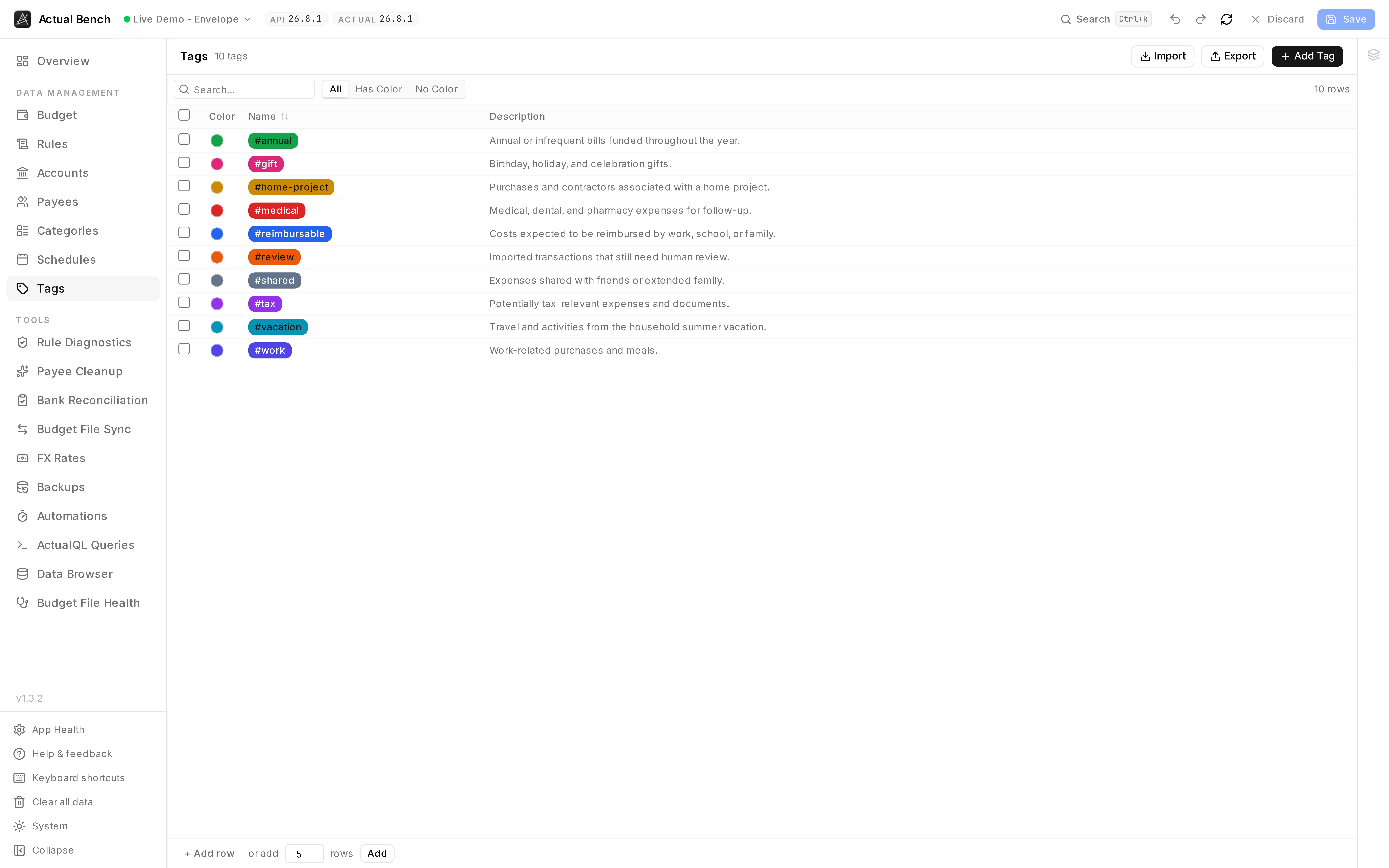
A tag vocabulary is only useful if everyone remembers what each one means, so the description sits beside the colour rather than in someone’s head.
It shares the editing model every Data Management page uses.
What you get beyond Actual Budget
Section titled “What you get beyond Actual Budget”- CSV import and export for bulk tag setup and backup.
- Colours and descriptions edited inline, and a filter for tags that have no colour yet.
- Bulk delete, staged like everything else.
- See which rules reference a tag via the Usage Inspector.
Create and edit a tag
Section titled “Create and edit a tag”- On the Tags page, create a tag and give it a name.
- Give it a colour if you want - click the swatch. Hovering the row reveals a clear button.
- Optionally add a description.
- Edit any name or description inline (
Enterconfirms,Escapecancels).
Filter, delete, and import/export
Section titled “Filter, delete, and import/export”- Filter by name, by description, or by whether a tag has a colour. Counts update as you type.
- Select several and delete them together. Duplicate names get flagged.
- Import and export tags as CSV. CSV columns:
name(required),color(optional hex, e.g.#FF5733),description(optional).
Common problems
Section titled “Common problems”- No tags anywhere - your server is older than Actual Budget v26.3.0.
- A colour or description did not stick - inline edits commit on
Enter, and the page still needs a Save.
Related pages
Section titled “Related pages”- Editing, review and save - the shared editing model
- Schedules