
App Health
App Health reports the state of Actual Bench’s metadata database, persistence, migrations, and scheduler. It does not check your budget file; use Budget File Health for that. Use App Health after installation, upgrades, or when troubleshooting an operator issue.
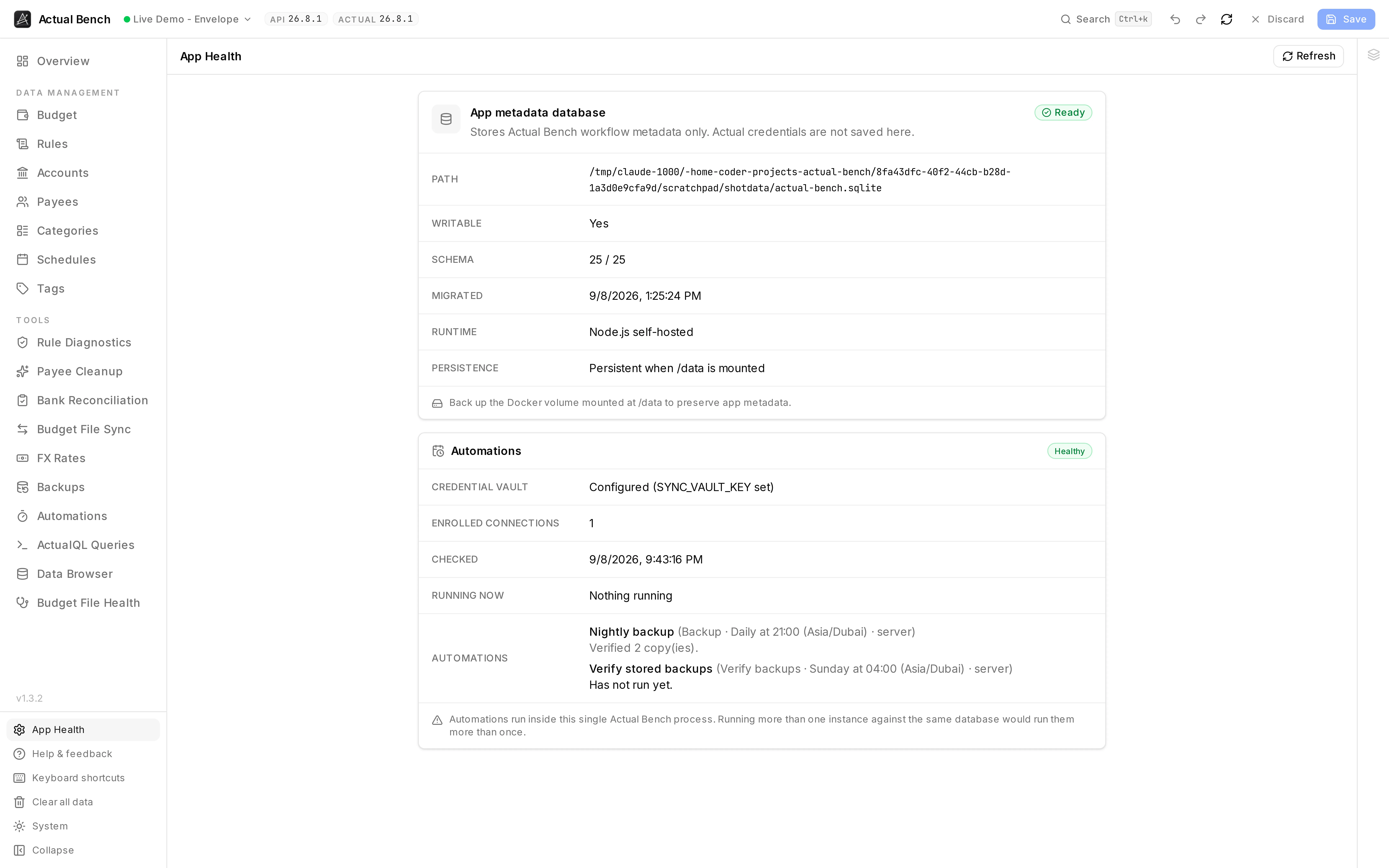
This is Bench reporting on itself: whether its own database is reachable, whether the storage under it is durable, and whether scheduled work can run.
What it reports
Section titled “What it reports”- Database path - the configured SQLite location (
ACTUAL_BENCH_DB_PATH, default/data/actual-bench.sqlite). - Writable - whether Bench can write to it. This says Yes or something is wrong.
- Schema - the current version, or
Not initializedif the database was never created. - Migration status - whether migrations are up to date.
- Persistence - a reminder that
/datahas to be mounted from outside. Writable is not the same as durable; a container’s own filesystem is both writable and temporary. - Automations → Workers - whether Bench can start the worker threads that automations run in, how many runs are going out of the maximum, the memory limit for each, and the last run that stopped unexpectedly. See Configuration.
Verify a healthy install
Section titled “Verify a healthy install”After installing or upgrading, open App Health and confirm:
- Writable is
Yes. - Schema shows a version number (not
Not initialized). - Persistence reads Persistent when /data is mounted.
Writable: No, or persistence looking wrong, means the /data mount or its permissions need
attention. See Installation and
Upgrading and Backups.
Common problems
Section titled “Common problems”- Writable: No - the container user cannot write to
/data. Fix the mount permissions. - Schema: Not initialized - the database was never created. Check
ACTUAL_BENCH_DB_PATHactually points into the mounted volume. - Workers: Cannot start - Bench could not start a worker thread, so no automation runs. The
reason is shown beside it. Bench tries again every few minutes, so fixing the cause needs no
restart. If your platform cannot run worker threads at all, set
ACTUAL_BENCH_AUTOMATION_EXECUTOR=in-thread(see Configuration). - Everything vanishes when you recreate the container -
/datais not persisted. Mount a named volume or a host path.