
Budget File Health
Use Budget File Health to inspect an exported budget snapshot and run structural checks in your browser. It does not change your budget.
Open it from Tools → Budget File Health (/budget-diagnostics).
Budget impact: Budget File Health does not change budget data. Everything happens in your browser.
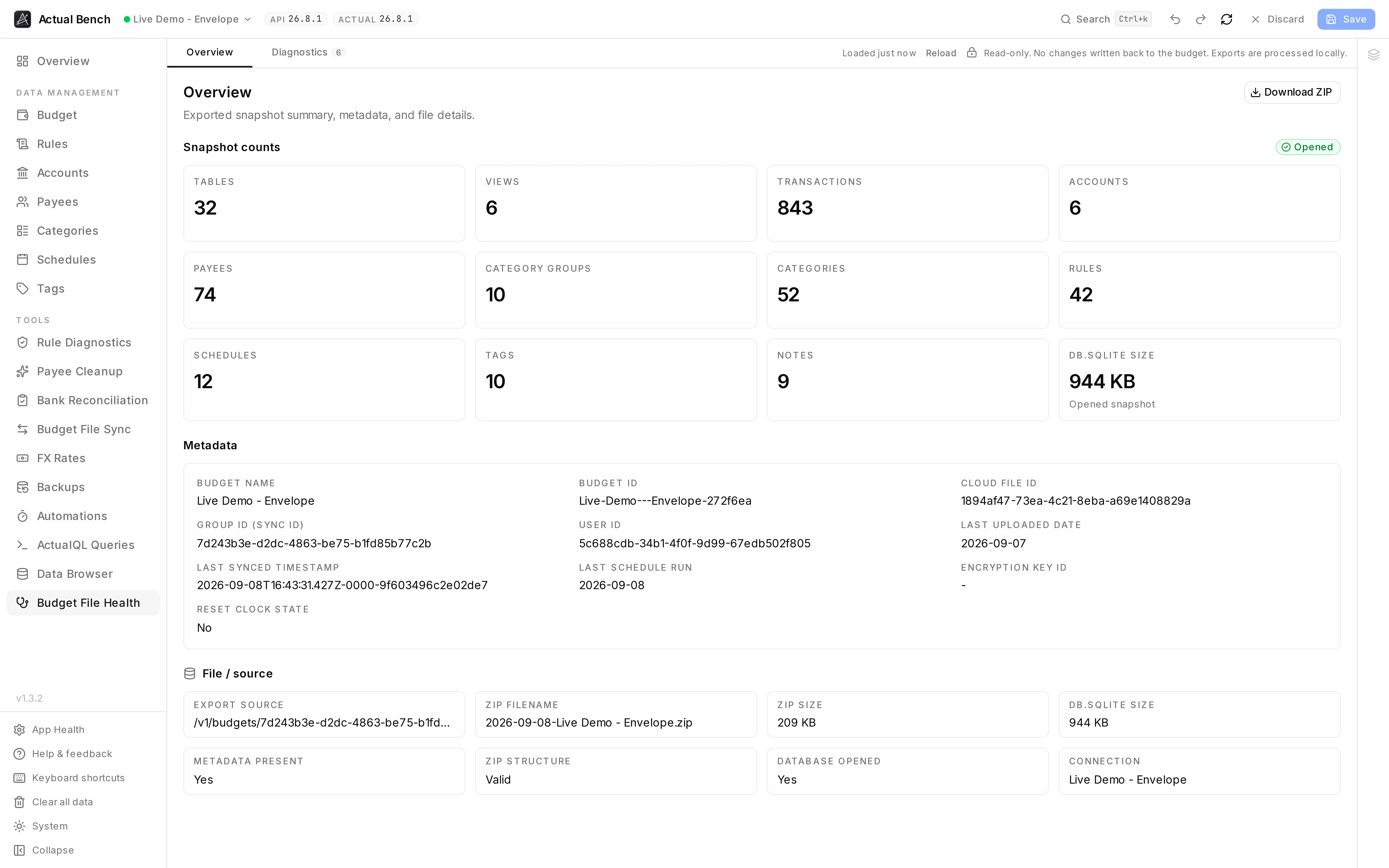
What the snapshot contains, down to the byte: 807 transactions, 74 payees, 42 rules, a 924 KB database - plus the sync ids and timestamps you need when reporting a problem.
When to use it
Section titled “When to use it”| Your question | Where to look |
|---|---|
| Is this exported file structurally healthy? | Diagnostics tab, below |
| What does the snapshot contain, and how large is it? | Overview tab, below |
| What rows and columns exist in a table? | Data Browser |
| I need a reusable query against live saved data | ActualQL Queries |
Start here. Go to the Data Browser when a finding needs the actual rows.
Load a budget snapshot
Section titled “Load a budget snapshot”The first time you open this page, Bench downloads and opens the active budget’s snapshot. After that it is cached - you get a “loaded X ago” label and a Reload button - and shared with the Data Browser. Load it once, and both tools open instantly.
Loading shows its stages as it goes, and offers a retry if one fails.
Review snapshot metadata
Section titled “Review snapshot metadata”Overview lists the export metadata, how many of each object the snapshot holds, the ZIP and SQLite sizes, and where it came from. There is a button to download the ZIP.
Run diagnostics
Section titled “Run diagnostics”Diagnostics checks the schema, the relationships between rows, the metadata and SQLite’s own health, then groups what it finds by severity. From there you can:
- Run a full SQLite integrity check. It takes a while.
- Export findings to CSV.
Nothing here writes to your budget.
Safety and limitations
Section titled “Safety and limitations”- Read-only. It cannot change your budget.
- A very large snapshot is limited by your browser’s memory.
- The full integrity check is slow on large files. That is SQLite, not the page.
Troubleshooting
Section titled “Troubleshooting”- It will not open - retry from the progress rail. On a large file, check browser memory.
- The snapshot is stale - press Reload for a fresh export.
- A CSV looks wrong in a spreadsheet - it is UTF-8, with formula protection. Open it as UTF-8.
Related pages
Section titled “Related pages”- Data Browser - the same snapshot, table by table
- ActualQL Queries - query live saved data instead of a snapshot
- Work safely