
Data Browser
Use Data Browser to inspect tables, views, indexes, triggers, schema, and rows in an exported budget snapshot.
Open it from Tools → Data Browser (/data-browser).
Budget impact: Data Browser does not change budget data. The snapshot opens in your browser and never goes back to Actual.
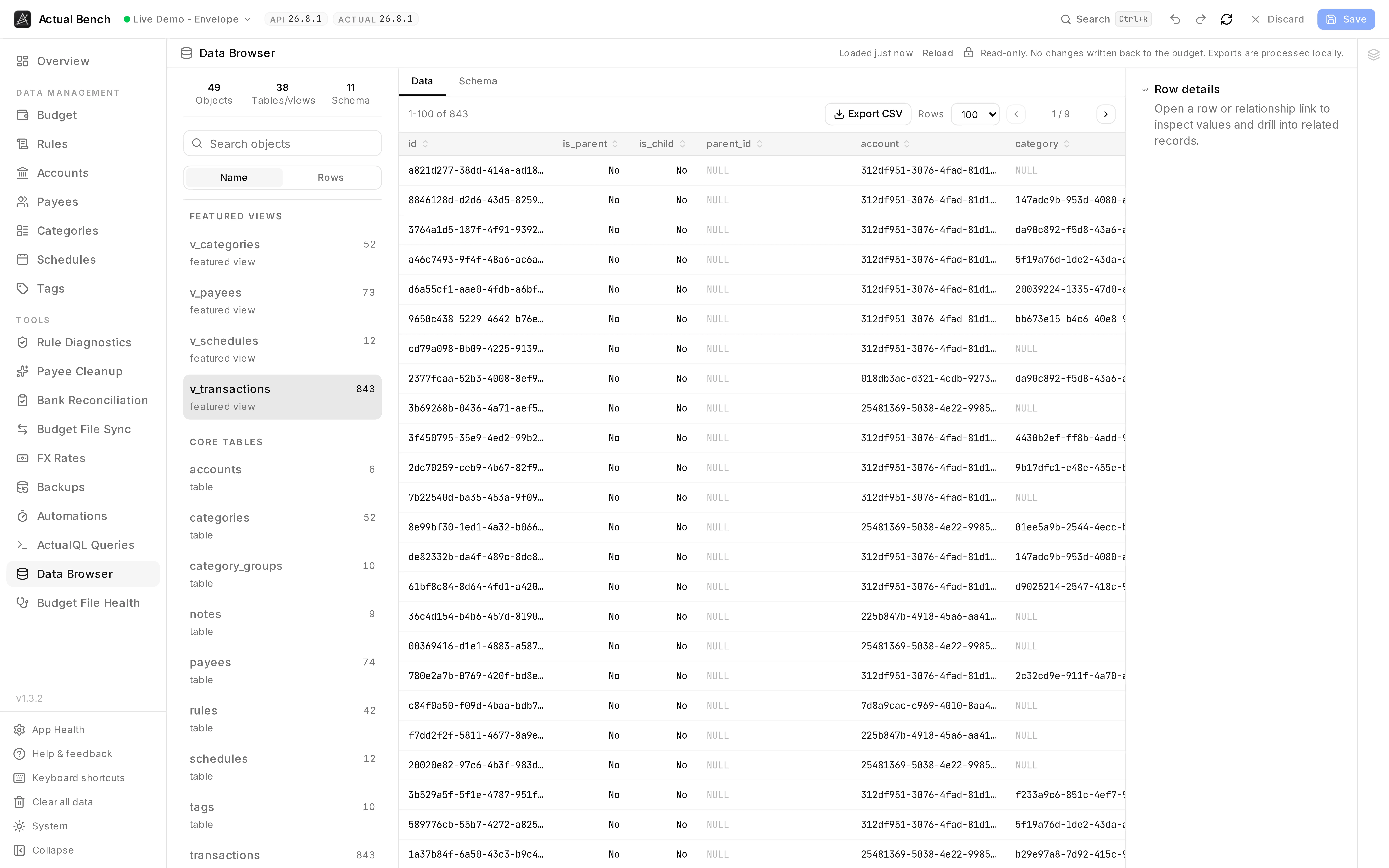
Every table and view in the file, with row counts, and the raw rows behind the screens Actual shows you - read-only, and exportable a table at a time.
It shares its snapshot with Budget File Health, which is where loading, caching and reloading are explained - once either tool has loaded the budget, the other opens instantly.
Browse tables, views, and schema
Section titled “Browse tables, views, and schema”- Lists tables, views, indexes, and triggers grouped by Actual Budget domain;
v_transactionsis selected by default when present. - Rows paginate, with sticky headers and horizontal scrolling. Sorting happens in a worker, so a big table does not freeze the page. The object, page, page size and sort all live in the URL, so you can send someone a link to exactly what you are looking at.
- Schema shows the type, parent table, row count, inferred key, columns, indexes, and the raw
CREATE …statement. - Indexes and triggers are listed, and marked as having no rows to browse.
Inspect rows and follow relationships
Section titled “Inspect rows and follow relationships”- Row actions copy a row as JSON - BLOBs come out base64 - and open a details panel that stacks as you drill in.
- Linked cells are clickable. A foreign key takes you to the row it points at, using the same relationship map diagnostics uses.
- Money stays as the integer Actual stores. Dates and budget months are formatted. BLOBs are marked binary with a hex preview on hover, and every formatted cell keeps its raw value in a tooltip.
Export tables and views
Section titled “Export tables and views”Any table or view exports to CSV. Rows stream through a worker rather than loading into memory, the encoding is UTF-8 so Excel behaves, and text that looks like a formula is neutralised so opening the file cannot execute it. Negative numbers stay negative. BLOBs become truncated base64.
Safety and limitations
Section titled “Safety and limitations”- Read-only. It cannot change your budget.
- A very large snapshot is limited by your browser’s memory.
- An exported CSV holds real financial data. Treat it like the budget.
Troubleshooting
Section titled “Troubleshooting”- No rows - you selected an index or a trigger. They have none.
- The snapshot is stale - reload it from Budget File Health.
- A CSV looks wrong in a spreadsheet - it is UTF-8, with formula protection. Open it as UTF-8.
Related pages
Section titled “Related pages”- Budget File Health - structural checks over the same snapshot
- ActualQL Queries - query live saved data instead of a snapshot