
Bank Sync
Actual Budget connects to your bank. Actual Bench can schedule the existing Actual bank sync and report its result for each account. It does not connect to your bank, store bank credentials, or add a bank provider.
Set one up from Tools → Automations → New automation → Bank sync (/automations).
Budget impact: Actual creates imported transactions. Actual Bench schedules the sync and saves its
run record and per-account result.
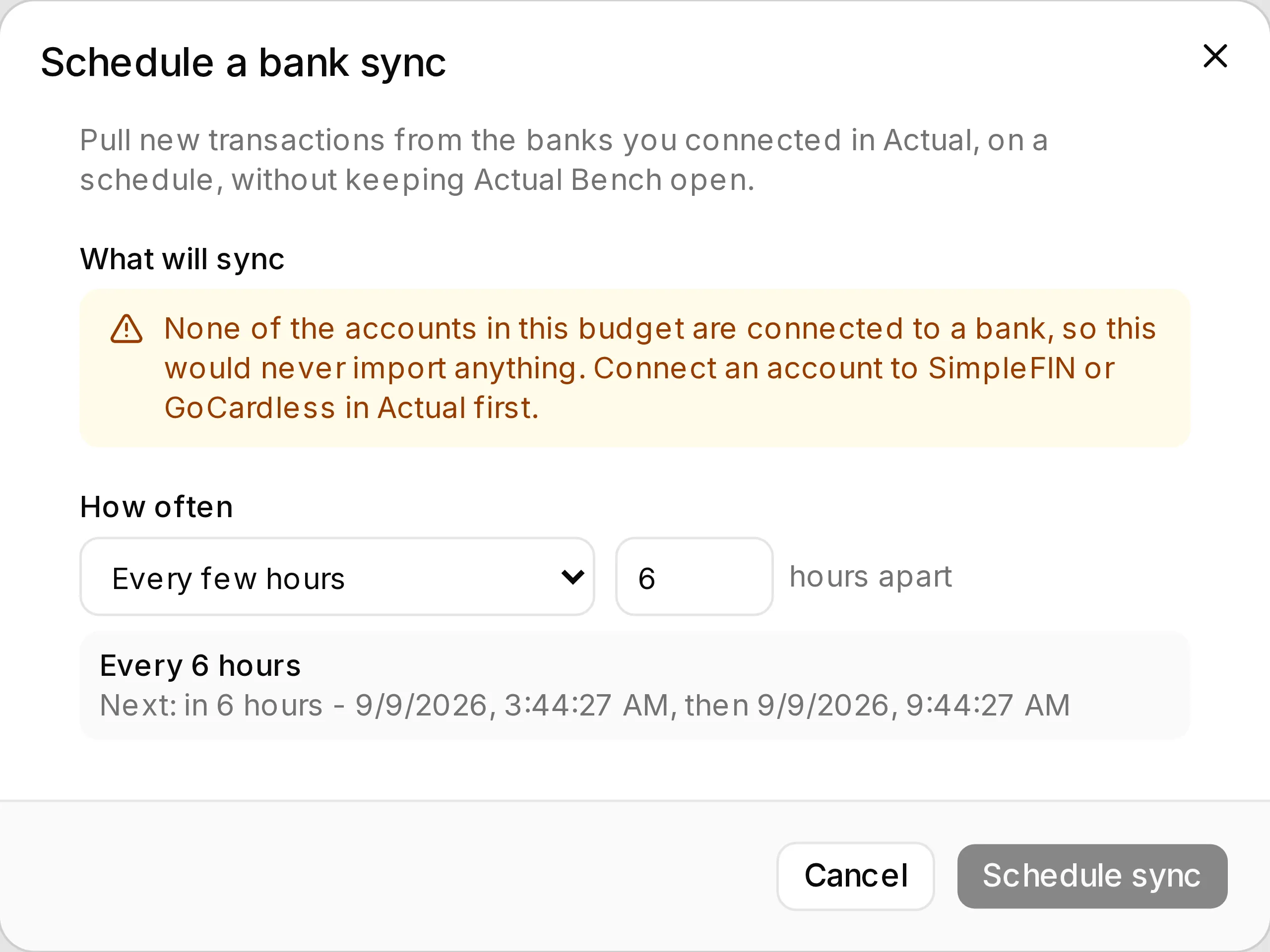
Set the schedule and Bench works out the rest - including telling you, before you save, that this budget has no bank-linked accounts and the sync would import nothing.
What you need
Section titled “What you need”- Accounts linked to a bank in Actual (SimpleFIN or GoCardless). Bench cannot create those links.
- The budget enrolled for unattended access, in HTTP API or Direct mode - a scheduled sync runs with your browser closed, so the server needs credentials of its own.
Create a bank-sync automation
Section titled “Create a bank-sync automation”- Open Tools → Automations and select New automation → Bank sync.
- Confirm that the budget is enrolled for unattended access.
- Choose a schedule and save the automation.
Before you save, the dialog shows which accounts will actually sync:
- Accounts linked to a bank are listed with when each last synced.
- Accounts with no bank link are listed too, marked not connected to a bank - skipped.
That list is the point. Without it, scheduling can only assert “every linked account is synced” and hope - and someone whose accounts are all unlinked would create an automation that does nothing, forever, without a hint as to why. If none are linked, Bench refuses to schedule the run rather than letting you create it.
Then choose how often. Every few hours suits most people; the minimum interval is 15 minutes, because below that a run spends its time reopening the budget rather than syncing.
What a run reports
Section titled “What a run reports”Each account is synced separately, so one bank being down does not stop the others:
| Result | Meaning |
|---|---|
| Synced | Actual accepted the pull for this account |
| Failed | This account’s provider or link failed - the reason is on the run |
| Skipped | The account is closed, or not linked to a bank |
A run where some accounts failed is reported as partial. It does not count against the automation’s failure streak: one unreachable bank out of twelve is a normal Tuesday, and pausing the whole automation over it would be wrong. A run where every account failed does count.
Full results, including per-account reasons and the redacted log, are in Run history.
What this does not do
Section titled “What this does not do”- It does not connect to your bank, or store bank credentials. Actual owns that.
- It does not re-import a statement or reconcile anything. For a downloaded statement, use Bank Reconciliation.
- It does not fix a broken bank link. If a provider needs re-authorising, that is done in Actual; Bench will keep reporting the failure until it is.