
Overview
After connecting, Overview shows a saved-data snapshot of the active budget and links to every workspace. Use it to confirm that the active budget is the one you expect.
Open it from Overview, at the top of the sidebar (/overview).
Overview does not modify budget data. Its counts show saved server data, not staged changes. Bundle Import is a separate workflow launched from this page.
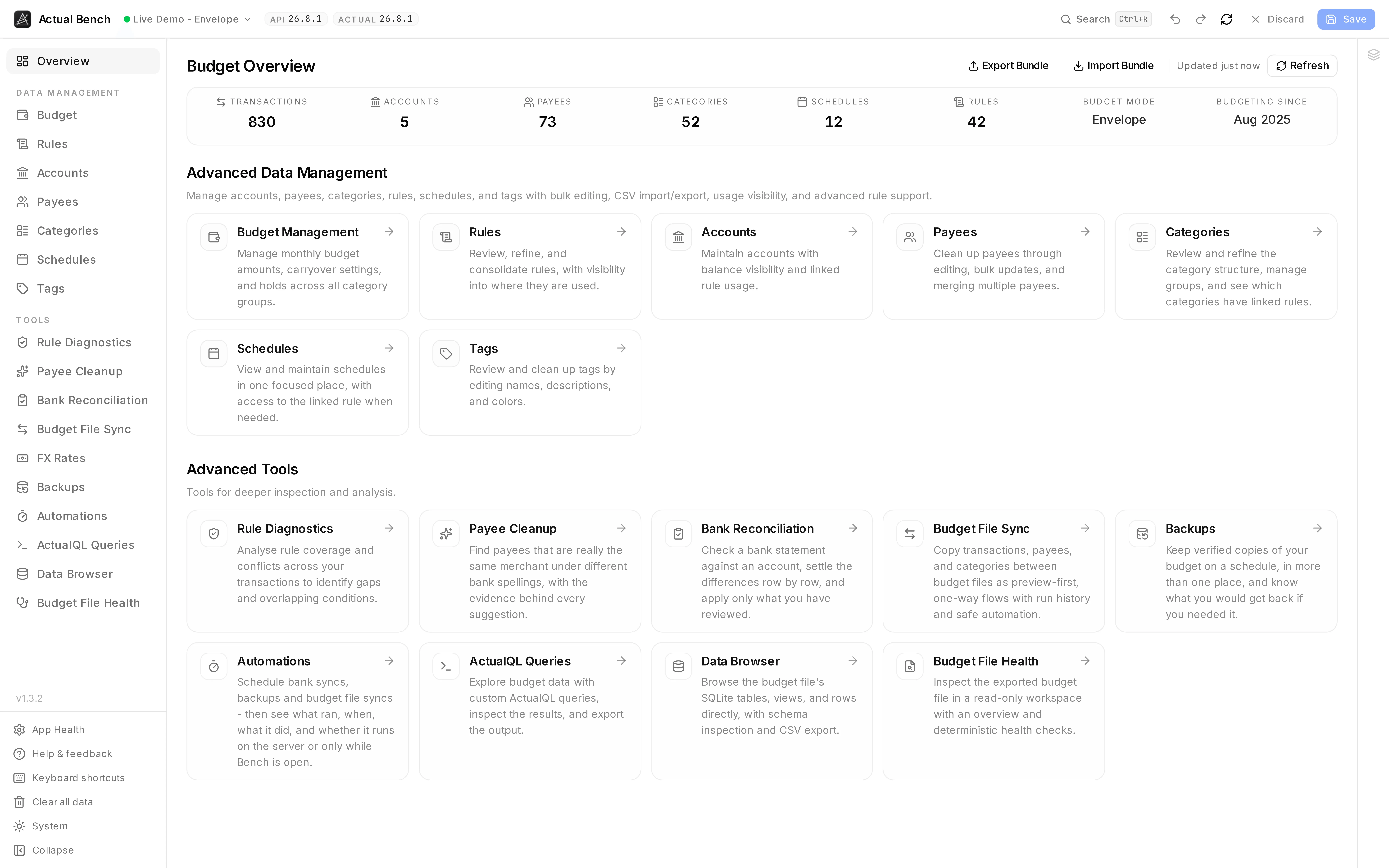
The snapshot row answers “am I in the right budget?” - counts, budget mode, and how long you have been budgeting - and everything below it is the way through to the rest.
What the Overview shows
Section titled “What the Overview shows”- A live snapshot row with saved-state counts for transactions, accounts, payees, categories, schedules, and rules.
- Derived context - the Budget Mode (
Envelope,Tracking, orUnidentified) and Budgeting since, inferred from your oldest transaction date. - A manual Refresh with a loading state and a last-refreshed indicator. Snapshot values switch to loading placeholders immediately when you switch budgets or refresh.
The navigation hub
Section titled “The navigation hub”Use the links to open the required workspace:
- Direct links to the entity pages (Accounts, Payees, Categories, and the rest) and to ActualQL Queries.
- Entry points for Budget File Health and the Data Browser, which open the exported snapshot for read-only inspection.
Whole-budget export and import
Section titled “Whole-budget export and import”Export and Import in the page header run Bundle Export / Import: all of a budget’s master data - accounts, payees, category groups and categories, tags, schedules, rules - in or out as one ZIP. The Overview deliberately preloads nothing, so the export dialog fetches on demand and always reflects what the server holds right now.
Related pages
Section titled “Related pages”- Connect to Actual Budget - how you get here
- Bundle Export / Import
- Budget File Health · Data Browser